

11.26" Car Radio Android 13 CarPlay + Camera
11.26" Car Radio Android 13 CarPlay + Camera
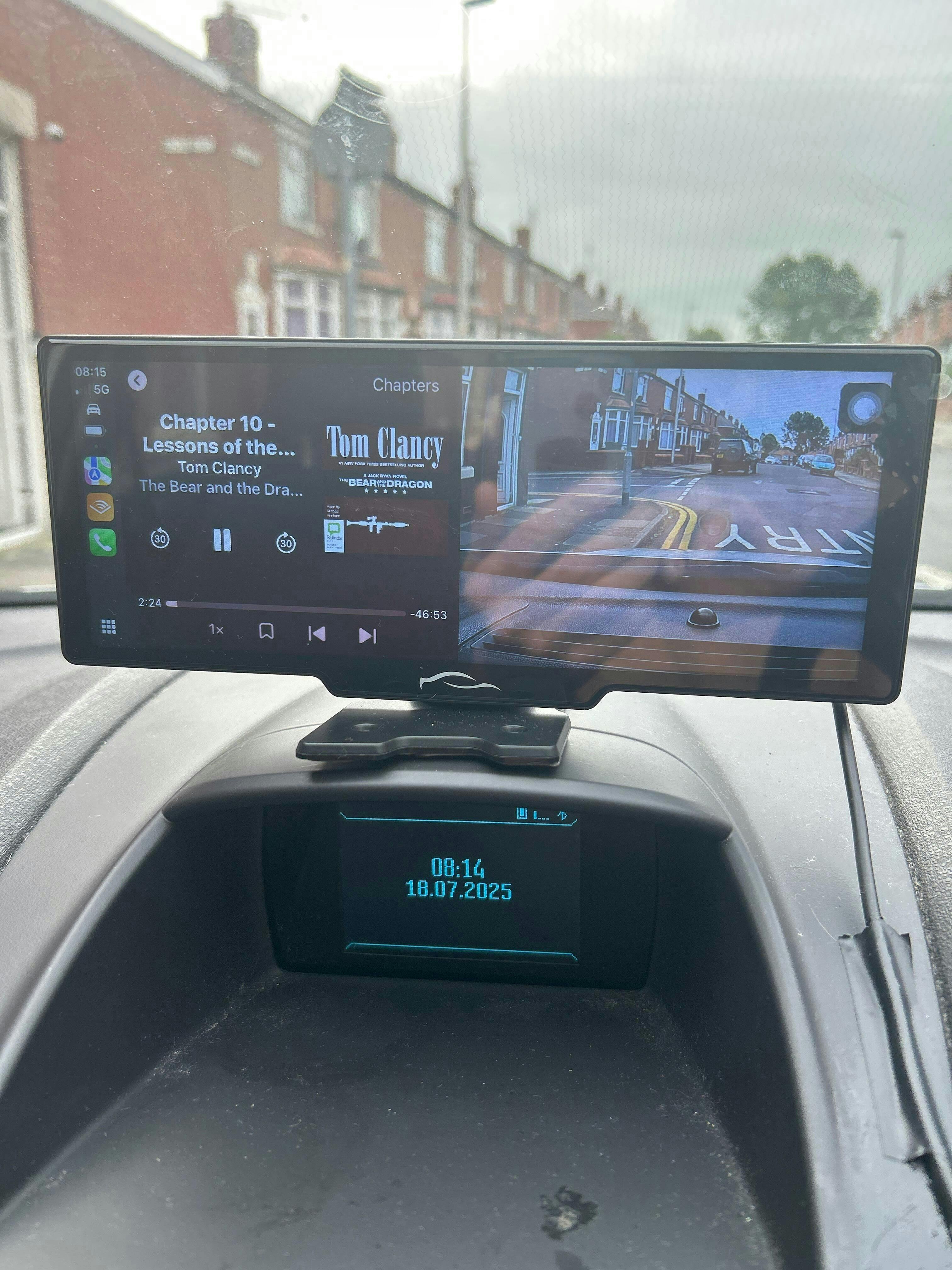
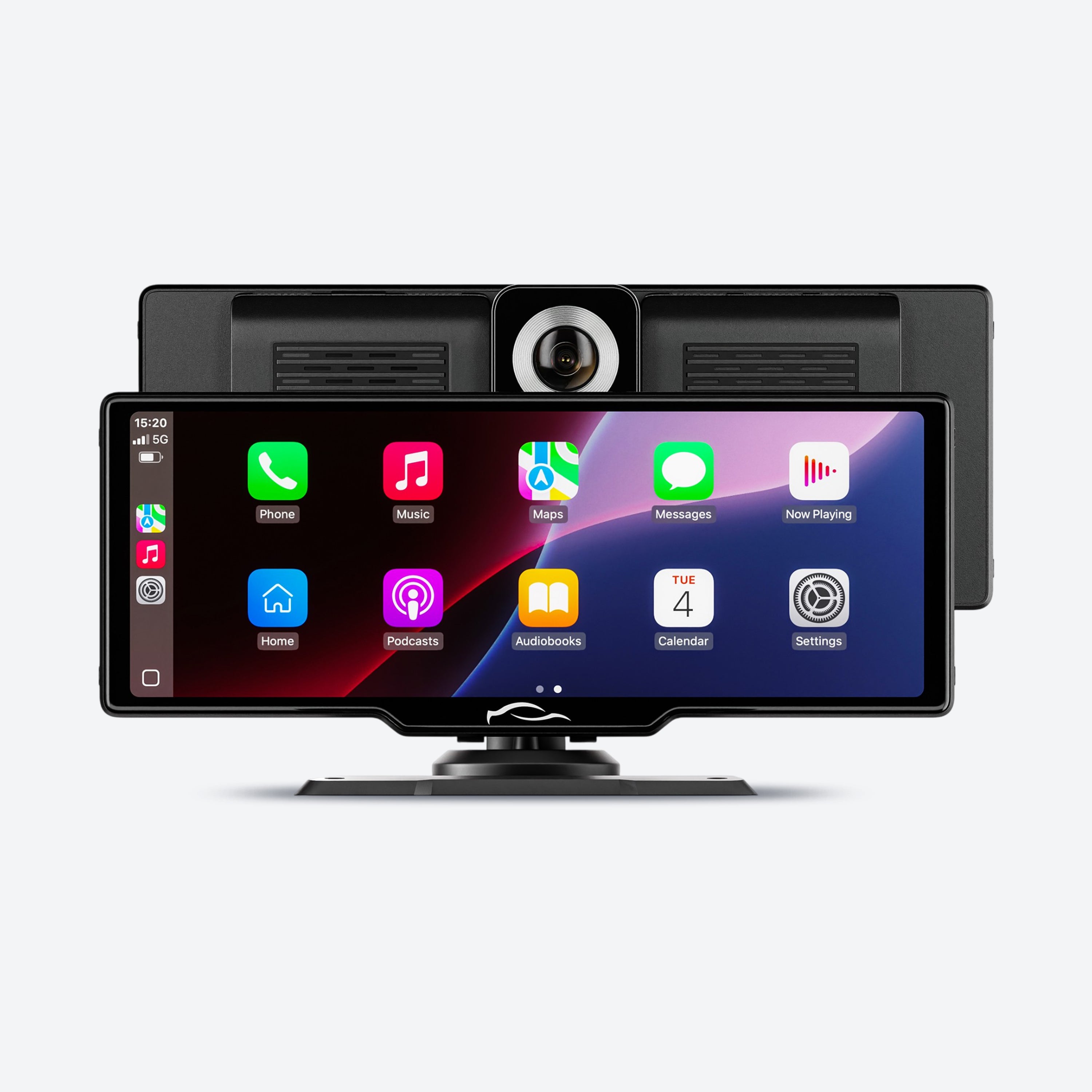
Instant Apple CarPlay & Android Auto
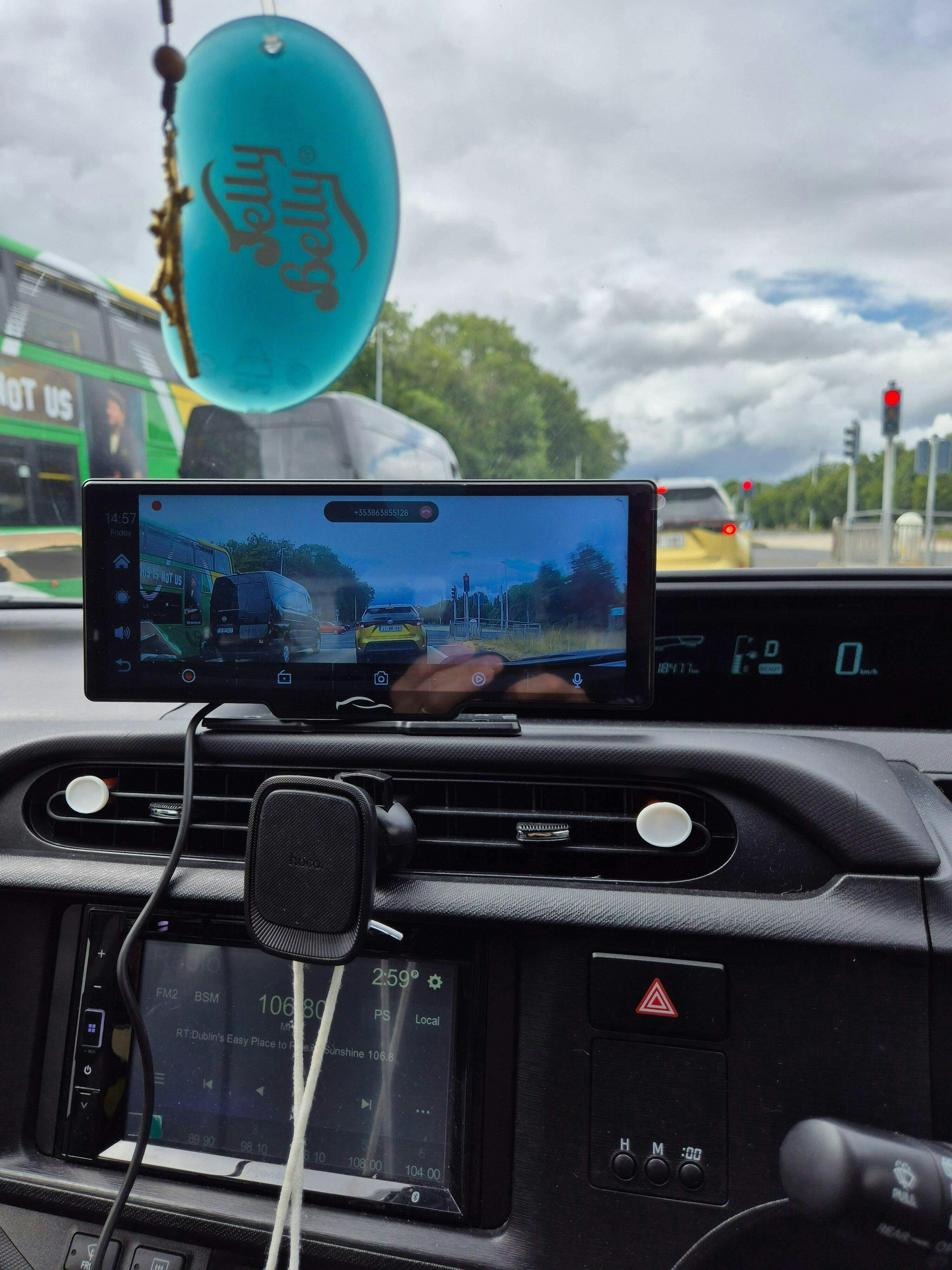
Built-in 4K Dashcam for Protection
Installs in Minutes and Fits Any Vehicle
Feature
Couldn't load pickup availability
Get it between - and -.
Description
Description
SPECIFICATIONS
Choice: yes
High-concerned Chemical: None
✔ Twowheel Tech
2025 New Customized Bracket For 11.26 inch Wireless Carplay Screen For Car
✔ Customized bracket according to the appearance of 11.26inch touch screen carplay screen for car: not easy to fall off, not blocking the view, matching with the center console of some models
✔ Android auto screen supports both wireless CarPlay and Android Auto, mirroring link
✔ Portable carplay supports Siri/Google voice control, make calls, play music, navigation, free your hands, focus on driving
✔ The android auto screen for car is equipped with AHD 1080P waterproof rear camera with adjustable reversing line for safe parking
✔ Car stereo with backup camera suitable for 12-32V vehicles: suitable for almost all types of cars, motorhomes and pickups, trucks, caravans, vans, trailers, campers and more
The phone version is constantly updated, the machine needs to be upgraded accordingly, if you encounter abnormalities during use, you can seek support from the seller and we will help you update the new version.
FAQ:
Q: Is this device suitable for my car?
A:This is a 10.26" /11.26" universal car radio, just fix it on the center console.
Q: How to connect wireless carplay/android auto?
A:First pair the mobile phone with Bluetooth, and then connect to the WIFI signal. After both are connected, carplay/android auto will automatically jump to the corresponding interface.
Q: How to do the upgrade?
A:(1) Please check your version firstly,then give us your version online;
(2) When we get your version number,we will give you corresponding upgrade firmware,and upgrade steps.
PS:Please do not update randomly, as different batches of products will have different firmware updates. Once an incorrect firmware update is used, it is highly likely that the device will not function properly.
Q: Why is there no sound from the device?
A:1. The AUX cable is inserted and the FM transmitter switch is turned on.
2. When the FM transmitter switch is turned on, the speaker has no sound.
Q: Is it possible to transmit audio to the car's speakers via Bluetooth?
A:Yes,It supports Bluetooth Music.
Q: How to sync sound via FM?
A:Turn on the FM Transmitter on the device, adjust the channel of the car radio to a blank station, and set the radio on the device to the same frequency as the radio on the car, the setting is complete.
Q: How to sync sound via AUX cable?
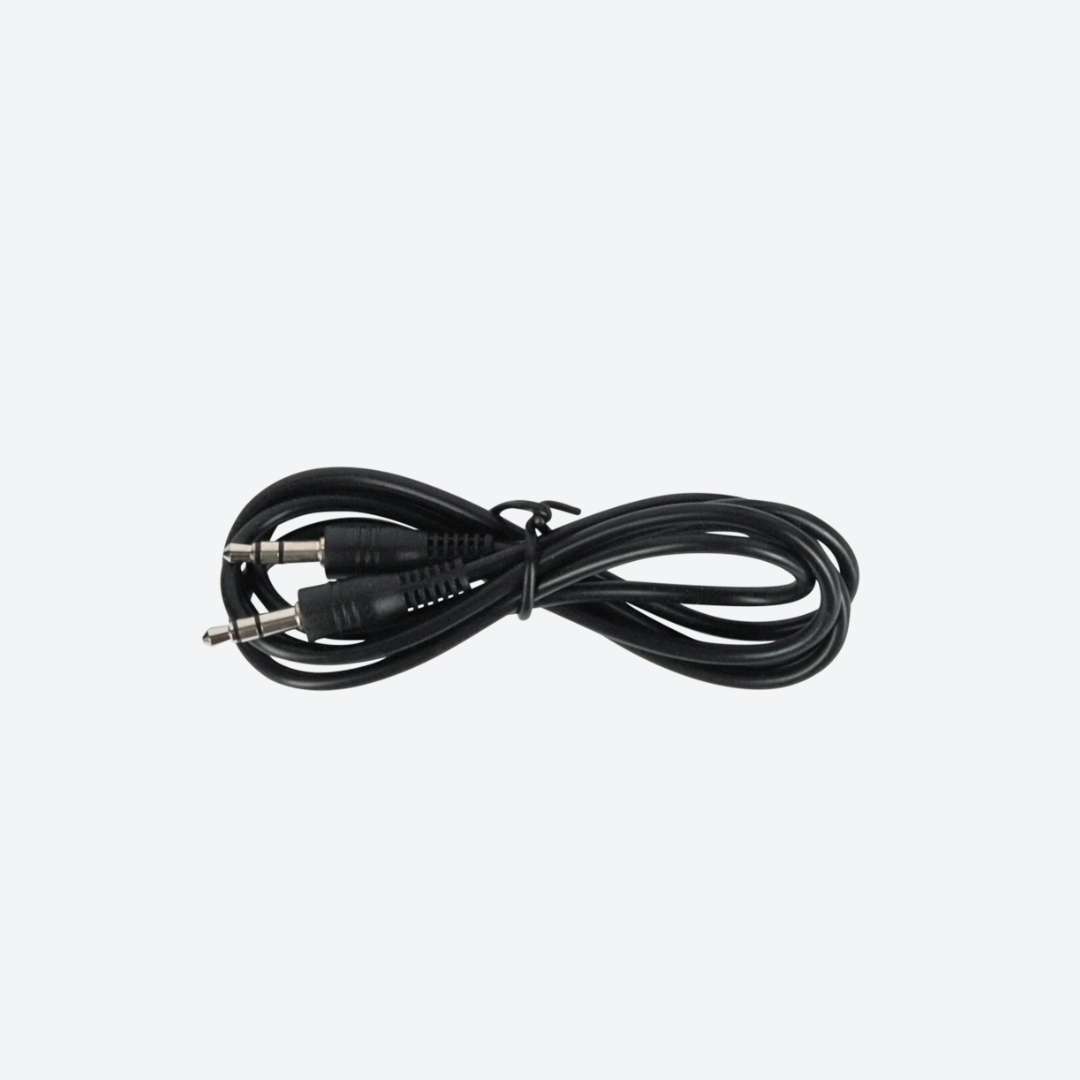
A:Find the AUX cable, then connect one end of the cable to the "audio" port on the slide right of the device, connect the other end to the AUX-IN port on the car, and enter the AUX playback interface of the car radio to synchronize the sound - Set up.
Q: Why doesn't the screen light up?
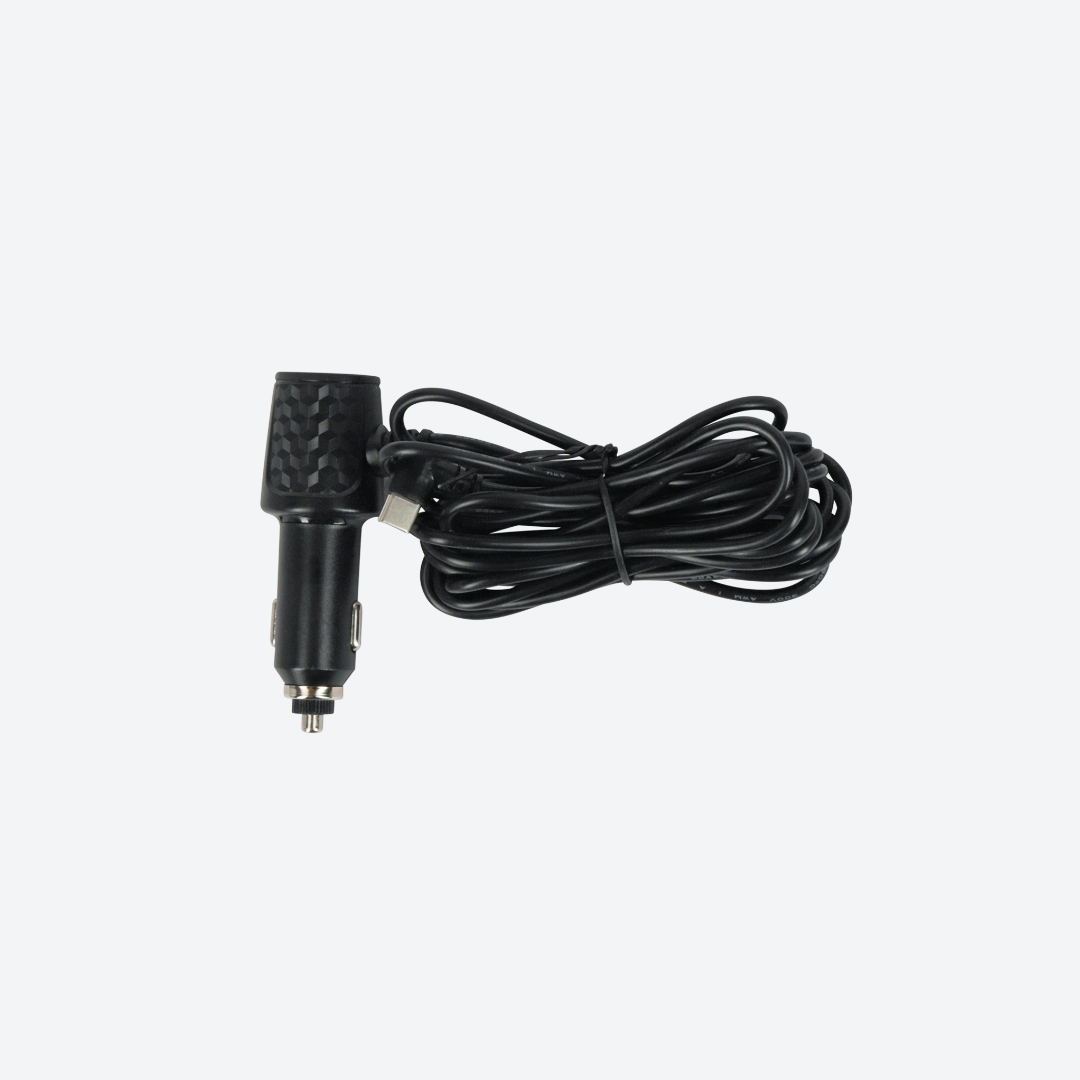
A:(1). Check whether the power supply is plugged in properly(connect with type-c port next to AV port).One end of the cigarette lighter is installed in place,and the other end will be connected to the lowermost DC 12V power supply port on the left side of the device.
(2). After confirming that the power is turned on, if the screen is still not on, there is a reset button on the back of the device, press and hold for 3 seconds.
(3). Software problems, you can upgrade the software, please contact customer service.
Q: What should I do if the picture of rear camera is shaking ?
A:(1).Please Check whether the rear camera line is plugged in AV port properly(Note:should connect the rear camera at first,then power on machine)
(2).Then restart the device
Q:Can I use the rear camera of the original car/other brand?
A:No, only the rear camera of Vtopek is supported, the camera of the original car/other brands is not suitable for the device
Shipping & Returns
Shipping & Returns
Free Shipping
The shipping time for orders is 24 to 48 hours for processing, and you can expect delivery within 7 to 14 days. Returns are accepted within 30 days.
How To Install?
How To Install?
1. Stick it on your dashboard with the stand or to your windshield with the suction cup (both included).
2. Plug the cable into your cigarette lighter, 12V port, or car charger - works in every car
3. Pair the screen with your phone via Bluetooth or connect using the cable -
works with both Apple & Android
4. Use the built-in speaker, or connect to your car radio via the included AUX
cable, Bluetooth, or the built-in FM transmitter.
And that's all! You have Apple CarPlay & Android Auto in your car in less than 5
minutes


Smarter Driving Starts Here
Upgrade your ride with the 10.26" 4K Dash Cam Car Mirror Monitor — featuring Wireless CarPlay, Android Auto, GPS Navigation, and a crystal-clear rearview camera for the safest and smartest driving experience.

Install Your Twowheel Tech LLC Within 5 Minutes

Plug It In Your Car
Plug the included adapter it into your 12V port/cigarette lighter
Do I Have This Port?

Connect With Car Speakers
Via Bluetooth, the included AUX cable, or the built-in FM transmitter
Here's How To Connect100,000+ Happy Drivers





Drive with Confidence
1-Year Warranty, 30-Day Free Return, and Free Shipping
Your satisfaction is our top priority. That’s why we offer a 1-year warranty on our CarPlay screens, giving you peace of mind with your purchase. Not completely satisfied? No problem. With our 30-day free return policy and free shipping, you can try our product risk-free. Upgrade your driving experience with confidence today!
Frequently Asked Questions
Is the Twowheel Tech LLC compatible with my vehicle?
Is the Twowheel Tech LLC compatible with my vehicle?
Absolutely! Twowheel Tech LLC is designed with universal compatibility in mind. It works with all vehicles, as long as you have a cigarette lighter port for power.
How to install the reversing camera?
How to install the reversing camera?
Locate the AV1 Port:
Find and plug the 6 meter/20 feet cable into the AV1 port of the CarTablet Pro Max.
Route the Cable:
Carefully route the cable from the front to the rear of your car, hiding it under interior panels or carpeting to keep it out of sight.
Mount the Reversing Camera:
Attach the reversing camera to the rear of your car using adhesive mounts or existing screws/bolts to avoid drilling.
Power the Camera:
Connect the camera's power cables to your car’s reversing light circuit, so it powers on when the car is in reverse.
Test the Setup:
Turn on your car, shift into reverse, and check if the camera feed appears on the CarTablet Pro Max. Adjust the camera angle if necessary.
Do I need professional help to install the Twowheel Tech LLC?
Do I need professional help to install the Twowheel Tech LLC?
Not at all! Twowheel Tech LLC is engineered for easy, do-it-yourself installation. You can set it up in less than 5 minutes without any specialized tools or professional assistance.
Can I use Apple CarPlay and Android Auto with the Twowheel Tech LLC?
Can I use Apple CarPlay and Android Auto with the Twowheel Tech LLC?
Yes, the Twowheel Tech LLC supports both Apple CarPlay and Android Auto, bringing modern technology to your vehicle for seamless navigation, music, and communication.
How does the built-in dashcam work?
How does the built-in dashcam work?
The built-in dashcam in the CarTablet Pro Max records continuously in 4K resolution, providing 24/7 coverage of your drives. This feature offers peace of mind by capturing clear footage of your surroundings, which can be invaluable in the event of an accident or to review your driving route. The dashcam is designed to start recording automatically when the car is turned on, ensuring you never miss a moment.